What makes a phone game different
A phone game is played with thumbs on a small screen, often for a few minutes at a time and often with one hand, so you design it differently from a game for a computer. If you're new to making games, the general guide on how to make a game covers the basics, and this page covers what changes when the screen is a phone.
So how do you make a mobile game that plays well with thumbs? Design against this checklist before you build anything:
- Thumb reach. Put buttons where thumbs rest, near the bottom corners. Anything in the top third of a big phone is a stretch.
- Fingers cover the screen. A thumb on a button hides whatever sits above it, so keep the action away from the controls.
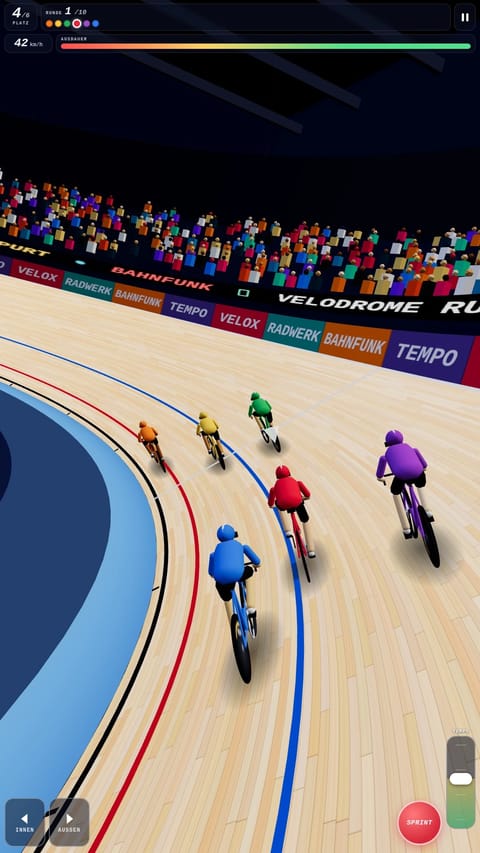
- Upright or sideways. Choose one. Upright suits one-handed games like runners and puzzles. Sideways suits games that need two thumbs.
- Short sessions. People play while standing in line or riding a bus. A round that ends in a minute or two and saves progress on its own fits that. Clicker games are built around exactly this kind of quick visit.
- Screen sizes. Your game has to look right on a small phone and a large one. Keep text big and leave space around the edges for the notch and rounded corners.
- Interruptions. A call or a notification can arrive at any time, so pause the game when it loses focus.
- Battery and heat. Fewer effects and a steady frame rate keep a phone cool for longer.
Phone game ideas that suit a first build
Some kinds of game fit a phone better than others, because they need only one or two touch controls and a round ends quickly. If you want to make mobile games people come back to, these are good places to start:
- Endless runners. One tap to jump, and the run ends when you miss. Upright, one hand.
- Sliding and matching puzzles. Swipe to move tiles. Every level is short, and people can stop at any point.
- Idle and clicker games. Tap to earn, buy upgrades, come back later. Built for short visits.
- Card games. Tap or drag a card, one turn at a time, so nobody has to react fast.
- Arcade dodgers. Drag a ship or a ball around the screen and avoid what falls toward it.
Creating mobile games in these styles keeps the controls simple, so you have more time to work on how the game feels to play.
Choose how you'll build it
There are three ways to build it. Pick the one that matches how you like to work.
| Route | How you build | Phone export | Tools to try | Cost to start |
|---|---|---|---|---|
| Game engine | Write code and lay out scenes in an editor | Android and iOS apps | Unity, Godot | Unity Personal costs nothing while revenue and funding stay under $200K over the last 12 months. Godot is open source and costs nothing |
| Visual or no-code tool | Build event lists or use visual scripting | Android and iOS apps, with conditions | GDevelop, GameMaker | GDevelop's free plan can publish to Android once a day, and iOS publishing starts on its Gold plan. GameMaker's free tier includes mobile exports for non-commercial games, and its commercial license is $99.99 once |
| AI game maker | Describe the game and change it by chatting | A browser game that opens on a phone from its link | Tesana (ours) | Planning a game costs nothing once you've signed up. A paid plan or credits pays for the build |
Each tool's terms in this table were read on its own site on 17 November 2026, and GDevelop's plans again on 18 November 2026.
Unity and Godot are the two mobile game engines most beginners meet first, and Android's own guide for game developers lists both. If you'd rather skip code, GDevelop and GameMaker are game engines for mobile with visual ways of building, and an AI game maker gets you a first version fastest, though as a browser game rather than an app.
A first phone game you can finish in a weekend
Here's a small one to build your own phone game around, so you can see how the checklist turns into a plan.
- The idea: "Tap to jump between rooftops. Miss a gap and the run ends."
- Screen: upright, played with one thumb.
- The control: a tap anywhere on the lower half of the screen. No buttons to aim for.
- The score: distance in meters, shown large at the top. The gaps get wider every 100 meters.
- Session length: a run lasts under a minute at first, and the best distance is saved without the player doing anything.
- Art and sound: a dark skyline, a bright player, a jump sound and a flash on landing for people playing on mute.
- The playtest question: does the first gap come too soon for someone who's never played?
That's one screen, one control and one number to beat, which is enough for a first release and leaves room to add more later.
The mobile game development process, step by step
The mobile game development process is the same whether you work alone or in a team: plan small, build the main action, then test on a phone again and again. These seven steps work in any of the tools above.
Step 1: Write the idea and controls on one page
Write one sentence for what the player does, then write how they do it with their thumbs: tap, hold, swipe or drag. "Tap to jump over gaps in an endless rooftop run" is a full plan for a first phone game. If you're stuck, a game idea generator can suggest a few to choose from. Writing it down first is the simplest way to design a mobile game before you open any tool.
Step 2: Make the core loop work with plain blocks
Build only the main action, with a square for the player and plain blocks for everything else. Play it on your computer for a few minutes and change the movement until it's fun to repeat. Creating a mobile game this way keeps you from spending a week on art for a game that doesn't play well.
Step 3: Set up touch controls and the screen
Now move the controls to the phone. Decide on upright or sideways, then place each button within thumb reach and make it large, around the size of a fingertip. Test the controls with your thumb rather than a mouse.
Step 4: Swap in art and add sounds
Swap the shapes for art that reads well on a small screen: bold outlines, strong colors and a clear player. Flat 2D art is the easiest place to start on a phone. Add a few short sounds, and since many people play with the sound off, show every important sound on screen too, with a flash or a shake.
Step 5: Test on a real phone early
Put the game on your own phone as soon as the main action works. Each tool has its own way of getting a test version onto a phone:
- Unity: connect an Android phone by USB with developer options on, then use Build And Run.
- Godot: turn on one-click deploy for Android, and the editor shows a button that sends the game to the connected phone.
- GDevelop: start a network preview, then open the address it gives you on a phone that's on the same Wi-Fi.
- iPhone: an app build needs Xcode, which runs on a Mac, and TestFlight lets other people try it before release.
- A browser game: open its link on the phone.
Then hand the phone to someone else and watch. Some problems only show up when a real thumb covers the screen, and you won't see them while building a mobile game on a computer.
Step 6: Make it run smoothly
Check that the game holds a steady frame rate on an older phone as well as a new one. Cut effects that slow it down, shrink large images and keep loading short. If a game stutters or runs the battery down, players notice quickly.
Step 7: Decide how it makes money, if at all
Most first games don't need to earn anything. If you want yours to, the common choices are a one-time price, ads, or purchases inside the game. Both stores take a share of sales made through them and have their own rules for payments inside apps, so read the current rules before you build a shop into the game.
How to code a mobile game
If you'd like to learn how to code a mobile game, start from an engine rather than from nothing. Android's guide for game developers recommends using an unmodified game engine as the simplest approach for Android game development, and names Unity, Godot, Defold and Unreal.
- Unity uses C#. It exports to Android and iOS, and most mobile tutorials online are written for it.
- Godot uses its own language, GDScript, which reads a lot like Python. It also supports C# and C++.
- Android Studio is Google's official tool for Android apps. Android's guide says to install it along with any other development tools you plan to use.
An engine handles touch input, screen sizes and exporting for you, so mobile games development starts with the game itself rather than with phone settings.
To create an Android game you'll also need an Android phone or the emulator in Android Studio for testing. For iOS, Apple's tools run only on a Mac. For mobile app game development on both stores, Unity and Godot can build the Android and iOS versions from the same project, so you don't write the game twice.
If you learn best by reading code that already works, you can describe a phone game on Tesana, then get its source code on a paid plan and study how the touch controls were written. Only games you made yourself can be downloaded this way, so copies of other people's games and games started from a template are left out.
Putting your game on the App Store and Google Play
An app store release takes a developer account, a store listing and a review before the game goes live.
| Google Play | Apple App Store | |
|---|---|---|
| Developer account | US$25, paid once | $99 a year (Apple Developer Program) |
| Before release | Personal accounts created after 13 November 2023 run a closed test with at least 12 testers for 14 days | App Review checks each app before it's listed |
| What you'll need | Store listing, screenshots, a privacy policy | Store listing, screenshots, a privacy policy, a Mac to build |
Fees and rules come from Google's and Apple's own pages, read on 17 November 2026.
Store rules are the part of mobile gaming development that changes most often, so check them again before each release. Plan the store listing while you build: a short description that says what the player does, screenshots of real play, and an icon that reads at a small size. If you're making mobile games to sell, the listing is the first thing a buyer sees.
Can you make a game on your phone?
You can. Tesana has an iPhone app for making games, and the create page on the Tesana website also works in your phone's browser.
Some people searching for how to make a game on mobile mean making it on the phone itself rather than for it. A few other tools allow that, though a computer or a tablet gives you more room once a game grows past a single screen.
- GDevelop has an app for Android and iPhone that lets you edit every part of a game on the phone, with the full set of features on its paid plans.
- Scratch runs in a browser on computers and tablets. Scratch's help center says you can play projects on most smartphones but can't create them there.
- A tablet is a good middle step if you don't have a computer, since most browser-based tools fit its screen.