
Best AI Game Development Tool: Why Tesana Belongs at the Top
The game development landscape in 2026 looks radically different from just a few years ago. AI tools now handle everything from image generation and animation to testing and full-world creation, allowing game creators to focus on what matters most: bringing new ideas to life. These AI-powered solutions are not limited to games—they are also used to create apps, HR applications, and interactive projects, demonstrating their relevance across multiple sectors and their impact on enhancing user experience and technical analysis.
For anyone asking “what’s the best AI game development tool right now?”, the answer depends on your goals. But if you want to go from concept to playable game without touching code or wrestling with complex game engines, one platform stands above the rest: Tesana. Certain features, such as low-latency streaming and realism in game environments, are crucial for achieving desirable outcomes in game development.
Introduction to Game Development
Game development is the art and science of creating interactive experiences that captivate players across a variety of gaming platforms. At its core, game development involves designing engaging game mechanics, building immersive worlds, crafting unique characters, and ensuring smooth gameplay through rigorous testing. The game development pipeline typically includes several stages: concept ideation, asset creation, coding, level design, and quality assurance. Each stage requires specialized skills and a significant investment of time and resources.
Traditionally, game developers relied on a combination of manual processes and specialized software to bring their visions to life. This often meant juggling complex workflows, writing thousands of lines of code, and managing a vast library of assets. The process could be daunting, especially for small studios or solo creators with limited resources.
However, the landscape is rapidly changing. Modern game development tools, especially those powered by AI, are transforming the creation process. These tools help automate tasks that once consumed countless hours, such as generating art assets, scripting game logic, and testing gameplay scenarios. As a result, developers can focus more on creativity and innovation, exploring new ideas and interactive experiences without being bogged down by technical hurdles. Whether you’re building a simple mobile app or a sprawling multiplayer game, AI tools are making it easier than ever to create, iterate, and launch high-quality games.
Quick answer: The best AI game development tool in 2026
Tesana is a 3D video game generator. You describe your game idea in plain language—setting, genre, mood, mechanics—and Tesana creates a fully playable game world. No engine setup. No coding. No weeks of learning curve.
While most AI tools help with pieces of the game development pipeline (generating assets, writing code, testing), Tesana builds the entire game loop. You get environments, rules, interactions, and progression logic in one package.
This makes Tesana ideal for:
Aspiring game makers without programming experience
Indie developers who need rapid prototyping
Educators teaching game design concepts
Content creators building interactive experiences for their audiences
Small studios exploring AI-assisted workflows
The rest of this article compares Tesana to other AI game development tools, breaks down key selection criteria, and walks you through getting started.
What is an AI game development tool?
AI game development tools are software platforms that use machine learning and generative AI to automate or accelerate parts of the creation process. Instead of manually building every asset, writing every line of code, and testing every scenario, developers can now delegate significant tasks to intelligent systems.
These tools fall into several categories:
AI for assets: Art, 3D models, textures, sound effects, backgrounds
AI for code and testing: Debugging, automated QA, code completion
AI for design and narrative: Story generation, dialogue, game mechanics ideation
AI for full game generation: Prompt-to-world platforms that create entire playable games
Many of the best AI game development tools offer free assets, libraries, or features, making them especially accessible to indie developers and hobbyists.
Modern tools leverage large language models, diffusion models, and reinforcement learning to adapt gameplay, automate tasks, and personalize interactive experiences. The shift is profound—what once required teams of specialists now becomes accessible to individuals.
Here’s how traditional engines compare to AI-first platforms:
Unity/Unreal/Godot: Powerful but require scripting knowledge, steep learning curve, manual asset creation
GDevelop with AI: Event-based, more accessible, but still engine-centric
Rosebud AI: Converts design docs to code, still requires understanding of game systems
Tesana: Text prompt → complete playable world, no engine concepts needed
This shift from manual to prompt-based workflows defines the 2026 game development ecosystem.
Benefits of AI Tools in Game Development
AI tools are revolutionizing the way games are made, offering a host of benefits that streamline the development process and empower creators at every stage. One of the most significant advantages is the ability to automate asset creation—AI can generate realistic graphics, characters, backgrounds, and even sound effects in a fraction of the time it would take manually. This not only speeds up production but also allows small studios and indie developers to compete with larger teams by maximizing their resources.
Beyond asset generation, AI tools can automate repetitive or complex tasks such as code writing, bug testing, and balancing game mechanics. This reduces the learning curve for new developers and frees up experienced teams to focus on the creative aspects of game design. By handling the technical heavy lifting, AI enables game developers to experiment with new ideas, iterate on gameplay, and refine interactive experiences more efficiently.
AI-powered game development tools also enhance overall productivity by integrating seamlessly into existing workflows. They support rapid prototyping, making it easier to test and validate concepts before committing to full-scale production. For multiplayer games and expansive game worlds, AI can help manage data sources, optimize performance, and personalize player engagement, ensuring a smoother and more immersive experience.
Ultimately, the integration of AI into the game development pipeline is not just about speed—it’s about unlocking creativity, reducing barriers to entry, and enabling a new generation of game creators to bring their visions to life on any platform.
Why Tesana stands out as the best AI game development tool
Among the growing landscape of AI tools, Tesana occupies a unique position. It doesn’t just assist with game development—it generates entire playable games from natural language descriptions.
The core concept is “prompt-to-world.” You write something like “a cozy mystery adventure set in a rainy 1990s Tokyo back alley,” and Tesana builds scenes, traversal mechanics, NPCs, objectives, and basic progression. Tesana's AI-driven NPCs can talk to players, enabling dynamic conversations and enhancing immersion. In minutes, you have something you can actually play.

Key advantages over other AI tools:
No coding or engine setup required
Single web-based workspace (runs entirely in browser)
Live editing via prompts or simple visual interface
Built-in publishing to marketplace and shareable links
Real-time collaboration with other creators
Typical use cases include rapid prototyping for indie game developers, interactive storybuilding for authors, classroom projects for teachers, and custom challenge worlds for streamers who want unique content for their communities.
Prompt-to-world: from idea to playable game
The user journey with Tesana is remarkably straightforward:
Describe your vision: Type a paragraph covering genre, setting, and tone
AI generates the world: Tesana creates map layouts, objectives, and baseline game mechanics
Playtest immediately: Test your game in the browser without any export or compilation
Refine with prompts: Ask the AI to adjust difficulty, add characters, or change the atmosphere
Publish when ready: Share via link or list on the marketplace
Here are example prompts and what Tesana would auto-generate:
“Top-down survival game on a frozen moon with limited oxygen” → Ice terrain, oxygen meter, resource collection points, shelter objectives
“Local co-op puzzle game in a haunted library” → Bookshelves as interactive elements, ghost NPCs, collaborative puzzle triggers
“Noir detective game in a 1940s coastal town” → Rainy streets, dialogue-based investigation, suspect tracking system
Unlike tools that output only art or text, Tesana produces interconnected systems: movement, interaction, triggers, and progression logic all working together.
No-code, accessible game creation
Tesana was built for people without programming backgrounds. Everything is controlled through prompts and a visual editor—no scripts, no complex event systems, no syntax errors.
You can refine your game by:
Asking the AI to tweak difficulty, pacing, or rules in natural language
Dragging and repositioning objects within generated scenes
Swapping visual styles via additional text prompt
Adding or removing characters through simple commands
Compare this to traditional engines where you’d spend weeks learning scripting languages before building anything playable.
Consider this scenario: A streamer wants to create a custom challenge world for their community. With Tesana, they write a few paragraphs describing the challenge, wait a few minutes for generation, make some live edits, and share a playable link—all in a single afternoon. No tutorials. No Stack Overflow searches. Just creation.
Collaboration and publishing built in
Tesana treats games as collaborative projects from the start. Multiple users can work on the same project simultaneously, sharing prompts, tweaking levels, and playtesting updates together.
Publishing works with minimal friction:
One-click deployment to a web-playable version
Optional listing in the built-in marketplace for discovery
Shareable links for direct distribution to friends or audiences
Analytics to track player engagement
This eliminates the usual pipeline struggles small studios face—exporting builds, hosting files, handling distribution platforms. Everything happens in one place.
Key criteria for choosing the best AI game development tool
The “best” tool depends on your use case, but several criteria apply universally. Here’s what every creator or team should evaluate:
Criteria | What to Look For | How Tesana Scores |
|---|---|---|
Scope of automation | Assets only vs. full game generation | Full playable worlds from prompts |
Ease of use | No-code vs. requiring scripting/ML knowledge | Completely no-code, text-based |
Integration | Fits existing pipelines (Unity, Unreal, web) | Web-native, no integration needed |
Performance & scalability | Handles larger worlds, multiplayer games | Browser-based with growing capabilities |
Licensing & ownership | Who owns generated content | Users retain ownership of their games |
Collaboration & versioning | Team support vs. solo only | Built-in collaboration features |
When evaluating any AI tool for game development, consider where it fits in your workflow. Asset generators are valuable mid-production. Code assistants help during development. But platforms like Tesana serve the entire journey from idea to published game.
How Tesana compares to other AI game development tools
The AI game development ecosystem includes highly focused tools (for art, QA, animation) and more holistic platforms. Tesana complements many of these while offering something none of them do: complete game generation.
After the introduction of Tesana, it's important to note Scenario AI is an AI-powered game asset generation tool created to streamline content creation for game developers, making it easier to produce high-quality assets efficiently.
Specialized tools include Promethean AI, which assembles props, lighting, and terrain details based on procedural algorithms, generating entire scenes without extensive manual modeling. Procedural modeling in these tools allows users to shape detailed and realistic environments, influencing the appearance and diversity of natural elements. Ludo.ai allows users to generate unique sprites from text and bring them to life with AI-powered animation. DeepMotion converts standard video or sensor data into detailed motion-capture files, helping smaller teams achieve advanced motion capture effects without specialized equipment. Mixamo simplifies character animation and rigging processes for game developers by offering an extensive library of pre-made character models and animations. Blender offers robust modeling capabilities allowing users to craft intricate 3D models, characters, environments, and animations. GDevelop is an open-source, no-code game engine that allows users to create 2D, 3D, and multiplayer games without limits. Quixel provides a comprehensive suite of tools and assets designed for creating high-quality 3D environments and textures for games. Inworld AI is the standard for creating dynamic, non-scripted NPCs capable of multimodal conversations, and has developed a comprehensive Character Engine that incorporates multimodal capabilities, safety features, memory functions, and more to enhance AI NPCs for gaming applications.
Game studios face challenges in integrating AI, including maintaining stable workflows and addressing talent gaps in machine learning expertise. Clear communication and adequate training are essential for mitigating these challenges, and establishing a systematic approach to updates and support can smooth out long-term maintenance of AI tools in game development.
AI solutions in game development can lead to better resource allocation, improved project performance, and can enhance a studio's reputation for quality and innovation. Many studios adopt AI solutions to cut costs and reduce manual labor during critical production phases, supporting faster delivery to market and improving overall project efficiency. AI tools can streamline workflows, improve collaboration among team members, and significantly boost overall productivity and audience engagement. AI coding assistants can help identify bugs in code, making the debugging process more efficient. AI tools can streamline the ideation process by providing suggestions based on existing trends and player preferences, generate fresh game concepts in seconds, and provide a collaborative environment for game design. AI game development tools can cut production costs by significant margins, deliver higher returns for studios of any size, and offer flexible and scalable options that allow studios to focus on creativity and measurable results. These tools are viewed as vital resources to elevate player experiences in a highly crowded market. A structured rollout plan can help teams measure immediate gains from AI tools and course-correct if challenges emerge.
Tesana vs ideation & design assistants
Tools like Ludo.ai excel at generating game ideas. They analyze popular tropes via machine learning, suggest storylines and mechanics, and help validate concepts through market data.
The limitation: they stop at the concept phase. You get ideas, not games.
Tesana incorporates similar “idea to structure” thinking but goes further by instantly building a testable game from those concepts. A practical workflow might look like:
Use external market data to identify a promising genre
Feed the concept into Tesana as a detailed prompt
Get a playable prototype within minutes
Iterate based on actual gameplay, not hypothetical design docs
This drastically reduces the gap between brainstorm and hands-on playtesting.
Tesana vs AI-augmented engines (GDevelop, Rosebud AI, etc.)
Platforms like GDevelop and Rosebud AI offer event systems, AI code generation, and templates. Rosebud AI specifically converts design documents into functional code for controls, physics, and interactions.
These tools are powerful but still require users to understand engine concepts and handle manual assembly. You’re working with an AI assistant, not an AI creator.
Tesana removes most engine-level complexity. The AI defines base structures and logic from natural language—you don’t need to know what a “sprite” is or how collision detection works.
For teams that want to scale into larger custom projects, Tesana-generated prototypes can serve as proof-of-concept before moving to heavier engines. But for beginners and small teams, Tesana typically offers the fastest time-to-first-playable.
Tesana vs specialized asset & animation tools
The market includes excellent specialized tools:
Promethean AI: Scene assembly with procedural props, lighting, and terrain details based on procedural algorithms, generating entire scenes without extensive manual modeling. Its procedural modeling and customizable parameters allow users to shape detailed and realistic vegetation and environments.
Scenario AI: An AI-powered game asset generation tool created to streamline content creation for game developers, enabling rapid generation of textures and assets.
Skybox AI: Environment backgrounds (claims 70% design time reduction)
DeepMotion: Converts standard video or sensor data into detailed motion-capture files, helping smaller teams achieve advanced motion capture effects without specialized equipment.
NVIDIA AI Solutions: GPU-accelerated ray tracing and performance optimization
Mixamo: Simplifies character animation and rigging processes for game developers by offering an extensive library of pre-made character models and animations.
Blender: Offers robust modeling capabilities allowing users to craft intricate 3D models, characters, environments, and animations.
Quixel: Provides a comprehensive suite of tools and assets designed for creating high-quality 3D environments and textures for games. Its procedural modeling tools let users shape the appearance and diversity of natural elements like trees and plants through customizable parameters.
Meshy: Generates game-ready 3D models from text or 2D images in under three minutes.
These are “component tools” best suited for mid-to-late-stage production when you need high-fidelity assets.
Tesana is ideal for ideation, preproduction, and even fully playable releases. A practical production path:
Prototype entire world in Tesana
Playtest and validate the concept
Replace placeholder art with high-end assets from specialized tools
Polish in a full engine if needed
You don’t have to choose one approach. Many developers explore ideas in Tesana, then bring proven concepts into traditional pipelines.
Popular types of AI tools in game development (and where Tesana fits)
Many creators already use AI in slices—art here, code there, audio somewhere else. Here’s a quick reference overview of the categories:
Asset generation (2D/3D props, characters, environments)
Typical use: Mid-production, replacing manual modeling
Tesana angle: Generates environments as part of complete worlds
Texture & image generation (materials, UI, concept art)
Typical use: Art team workflow acceleration
Tesana angle: Applies consistent visual styles across generated scenes
Code & testing assistants (debugging, QA, code completion)
Typical use: Development phase, integration with IDEs
Tesana angle: No code needed—logic is generated from prompts
Animation & mocap (video-to-motion, physics-based animation)
Typical use: Character animation, cutscenes
Tesana angle: Basic animations included; specialized tools can enhance later
Voice & dialogue (AI voice actors, NPC chat)
Typical use: Audio production, dynamic conversations
Tesana angle: Text-based NPCs; voice can be added via external tools
Storytelling & lore (LLM worldbuilding, narrative tools)
Typical use: Pre-production, content writing
Tesana angle: Narrative structure emerges from world generation prompts
Full game generation (prompt-to-world platforms)
Typical use: Ideation through playable prototype
Tesana angle: This is Tesana’s core capability
Use cases: who gets the most value from Tesana
Tesana serves a broad audience, from individuals with game ideas to established teams seeking faster workflows. Here’s how different personas benefit:
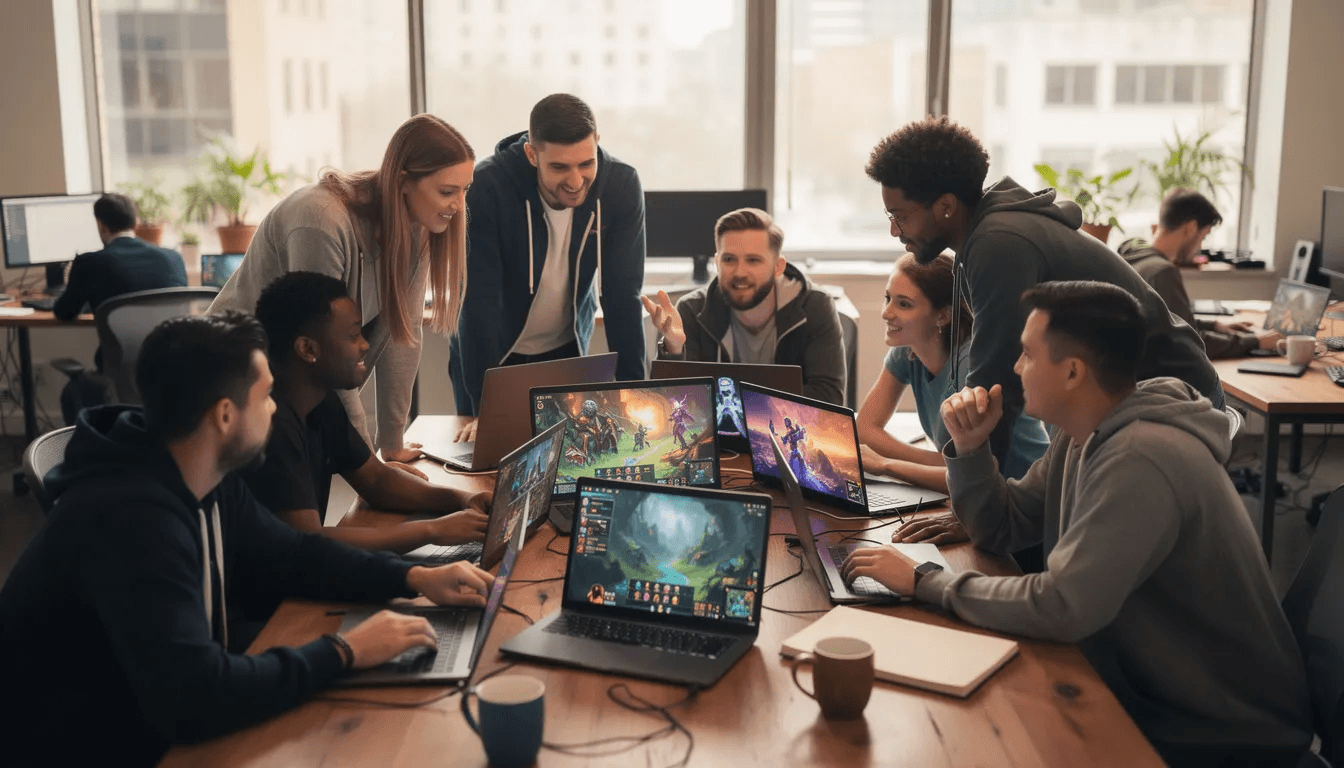
Aspiring game makers with no coding skills
Turn a story idea into a playable prototype in an afternoon
Perfect for first-time creators who’ve never touched game engines
Learn game design principles by doing, not studying documentation
Indie developers
Use Tesana for rapid prototyping before committing to full-scale production
Test multiple game ideas in a week instead of a month
Validate concepts with actual playtesters, not pitch decks
Content creators & streamers
Build custom challenge worlds or narrative experiences for communities
Create unique interactive content that differentiates their channel
Share playable links directly with audiences
Educators & students
Teach game design, narrative structure, and systems thinking
A class can build and present three different prototypes within a single term
Hide complex implementation details while focusing on design principles
Small studios
Explore AI-assisted workflows to cut iteration time
Use for preproduction and pitching to stakeholders
Reduce overhead during early concept development
Consider this concrete scenario: An indie team has five potential game ideas after a brainstorming session. Traditionally, they’d pick one and spend weeks building a prototype. With Tesana, they generate playable versions of all five in a single day, playtest each with their target audience, and make data-driven decisions about which concept deserves full development resources.
Getting started with Tesana
Ready to try it? Tesana runs in your browser—no downloads, no engine installations, no prerequisites.
Here’s your path to a first playable game:
Sign up or log in to the web platform
Start a new project and enter a detailed natural-language prompt
Wait for generation (typically a few minutes for first version)
Hit Play and test immediately in browser
Refine with live prompts to adjust difficulty, pacing, or style
Share or publish via link or marketplace listing
Start with a small, focused concept. A single-level puzzle, a short narrative adventure, or a simple survival challenge. This helps you understand how the AI responds to your prompts before tackling larger visions.
From there, expand. Add characters. Create multiplayer games. Build entire game worlds. Track what works, iterate on what doesn’t.

Among all AI game development tools available today, Tesana offers the most direct path from idea to playable game. No engine knowledge. No coding. No weeks of setup. Just describe what you want to create, and start playing.
Your next game is just a prompt away.
Conclusion
The world of game development is evolving at an unprecedented pace, thanks in large part to the rise of AI-powered tools. These innovations are reshaping the game development pipeline, making it possible for developers of all backgrounds to create, test, and publish interactive experiences with greater speed and efficiency. By automating asset creation, simplifying code generation, and supporting new ideas, AI tools are lowering the barriers to entry and empowering more people to become game creators.
Among the many options available, Tesana stands out as the best AI game development tool for those who want to turn their ideas into playable games without the steep learning curve of traditional engines. Its prompt-to-world approach, no-code interface, and collaborative features make it an ideal choice for individuals, small studios, and teams looking to innovate and accelerate their development process.
Whether you’re an aspiring developer, an indie studio, or an educator, now is the perfect time to explore what AI tools like Tesana can do for your next project. The future of game creation is here—faster, smarter, and more accessible than ever before. Your next great game is just a prompt away.