
Vibe Code Games with AI: From First Prompt to Playable World
Game development used to mean months of learning engines, debugging code, and wrestling with syntax errors. In 2025, you can describe a game idea in plain English and play it five minutes later. This is vibe coding—and it’s changing who gets to create games. With AI-powered vibe coding, anyone can now create not just games but also apps, breaking down traditional coding barriers.
This guide walks you through everything you need to know about vibe coding games with AI, from your first prompt to a shareable, playable world. Tools like Replit Agent or Cursor can automatically configure servers, databases, and file structures, making it easy for non-technical users to deploy their games or apps. We’ll explore how the process works, show real examples, and demonstrate why Tesana is the fastest path from idea to interactive experience.
What Is Vibe Coding (and Why It Matters for Games in 2025–2026)
Vibe coding is building games by feel. Instead of writing formal specifications, studying documentation, or planning architecture upfront, you have a conversation with AI. You describe what you want, play what it creates, and respond with how it feels—“too slow,” “more chaos,” “make the jumps floatier.” The AI adjusts, and you iterate until the vibe lands.
For game development specifically, vibe coding means:
Describing mechanics, art styles, and rules through chat rather than IDE-first workflows
Iterating on enemy behaviors, physics, and difficulty by prompting instead of editing variables
Treating natural language as your primary input for creating playable experiences
The term was coined by Andrej Karpathy, co-founder of OpenAI, in early 2025. He described it as “fully surrendering to LLMs’ capabilities” and treating code as something the AI handles while you focus on vision and outcomes.
The distinction matters: 2023–2024 AI-assisted coding still required you to read, review, and edit code. Today’s prompt-to-world tools like Tesana skip the boilerplate and engines entirely.
Here’s the practical reality: you can start vibe coding a playable game today in under 10 minutes using just a browser and a clear idea. You can even create and share a simple html game with AI assistance, making vibe coding accessible and web-based from the start. No Unity installation. No Unreal tutorials. No JavaScript debugging. Just describe what you want to create, and the AI builds it.
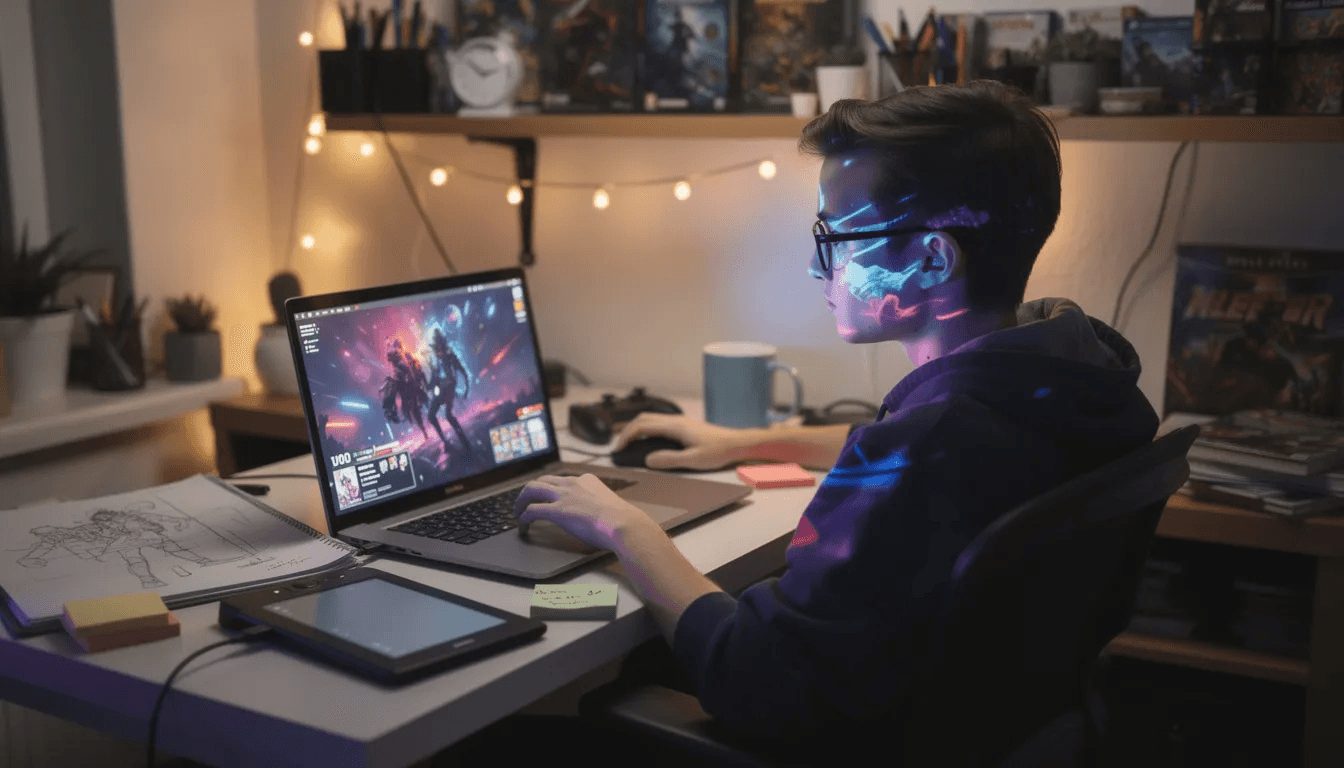
Why AI-Powered Vibe Coding Changes Game Development
The timeline matters. In 2023, AI tools could autocomplete lines of code. By late 2024, models like Claude 3.5 and GPT-4 class systems could generate entire functional components. Now in 2025–2026, the scale has shifted: solo creators can build complete playable games that would have required small teams just two years ago.
Here’s what AI now handles across the game creation pipeline:
Code generation: Core game logic, collision detection, scoring systems, and save states
Art direction: Generating consistent visual styles, character designs, and environment layouts
UI copy: Menu text, button labels, tutorial instructions, and HUD elements
Enemy behaviors: Patrol patterns, attack logic, difficulty scaling, and spawn rates
Narrative content: Intro sequences, NPC dialogue, quest text, and world lore
This makes vibe coding ideal for:
Game jams: Build a complete prototype in hours, not days
Classroom projects: Students explore game design principles without a semester of programming first
Content creators: Spin up interactive experiences for audiences on short notice
Rapid prototyping: Test three wildly different game concepts before committing to one
GitHub reports that developers using AI assistants complete tasks 55% faster, with vibe-style prototyping showing 5-10x speed improvements for throwaway projects. Not only does AI-powered vibe coding accelerate development, but it also optimizes game performance, resulting in smoother and more responsive experiences. That’s the difference between an idea staying in your head and actually becoming something people can play.
Tesana goes beyond code snippets. It generates whole, playable game worlds directly from prompts—not just functions you need to copy paste into an engine, but complete interactive worlds you can share with a link.
Understanding Game Logic in Vibe Coding
Game logic is the invisible engine that powers every game—it’s what decides how your world reacts when you press a key, collide with an obstacle, or score a point. In traditional game development, building this logic meant hours of programming, debugging, and wrestling with code. With vibe coding, the process is transformed: you describe what you want in natural language, and AI tools handle the code generation behind the scenes.
Here’s how it works: you tell the AI, “When the player jumps on a platform, play a sound and increase the score by 10.” Instantly, the AI assistant generates the necessary code for that game logic—handling input, updating the score, and triggering the sound effect. No need to dig through documentation or memorize function names. The AI interprets your intent and implements it, letting you focus on the creative side of game development.
This collaborative process between developers and AI tools means you can rapidly prototype new mechanics, tweak how enemies behave, or adjust scoring systems—all by chatting with the AI. Want to add collision detection so your character can’t walk through walls? Just describe it. Need a timer that ends the game after 60 seconds? The AI assistant generates the logic, and you see it in action right away.
Vibe coding empowers you to build interactive worlds without getting stuck on technical details. The AI handles the structure and math, while you direct the vibe and flow of the game. This approach accelerates the development process, making it easy to experiment, iterate, and bring your ideas to life. Whether you’re designing a fast-paced platformer or a story-driven adventure, AI-powered code generation lets you focus on what matters most: creating fun, engaging experiences for players.
By leveraging natural language and AI assistants, vibe coding puts the power of game logic in your hands—no matter your coding background. The result? More creative freedom, faster iteration, and interactive worlds that feel exactly how you imagined.
From Prompt to Playable: How Vibe Coding Works in Practice
The core loop of vibe coding is refreshingly simple:
Describe your idea → Write what you want in plain language
Make an explicit request to the AI → Users describe desired game mechanics, assets, and UI in plain English, requesting the AI assistant to generate the initial code.
AI generates the world → Code, assets, and logic come together
Play and feel it → Experience the result as a player would
React with vibes → “This feels too slow,” “more challenge near the exit,” “add screen shake on hit”
AI adjusts → Changes apply, you play again
Iterate until it lands → Repeat until the game feels right
Let’s make this concrete. Say you prompt:
“2D arena where robots dash and bounce bullets, matches last ~60 seconds, score shown in big neon HUD.”
The AI generates a playable version. You run it, and the robots feel sluggish. You don’t open a code editor to find the speed variable. Instead, you say: “Make robots 40% faster and add a dash cooldown indicator.” The game updates. You play again.
This is the function of vibe coding—non-coders can tweak gravity, speed, and enemy spawn rates by describing how they want the game to feel, not by hunting through files for the right math.
Multi-step prompting adds layers naturally:
First prompt: Establish the core loop (movement, objective, win/lose condition)
Second prompt: Add juice (screen shake, sound effects, falling particle effects)
Third prompt: Polish UX (restart button, scoreboard, keyboard controls)
With Tesana, this process compresses further. One high-level prompt spins up a working game. Subsequent short prompts refine gameplay live without context loss or broken dependencies.
Vibe Coding with Raw AI Models vs. Using Tesana
You can vibe code with raw AI models—ChatGPT, Claude, Gemini. Open a browser chat, describe your game, and the AI outputs code. But the workflow has friction:
Raw AI Model Workflow | What Goes Wrong |
|---|---|
AI generates HTML/JavaScript | You need to copy paste it somewhere |
Code requires hosting | You set up a server or use a playground |
You want changes | AI loses context from earlier in the conversation |
Assets are missing | You manually find or generate images, sounds |
Something breaks | You debug an error in code you didn’t write |
Project grows | Files multiply, dependencies tangle |
AI-generated code needs tweaks | You often have to manually adjust HTML and CSS |
These pain points aren’t theoretical. Developers report lost context windows, broken math after refactors, the hell of juggling files and hosting manually, and the extra step of tweaking HTML and CSS to get things just right.
Tesana handles those chores:
Auto-wires scenes: Levels, transitions, and progression connect automatically
Handles collisions: Physics and hit detection work without manual setup
Manages assets: Generated content, placements, and structure stay organized
Hosts everything: Play and share directly from the platform
Maintains context: Edits build on what exists without breaking dependencies
Think of it as the evolution of vibe coding: from code fragments you wrangle yourself to fully structured, shareable games in one environment.
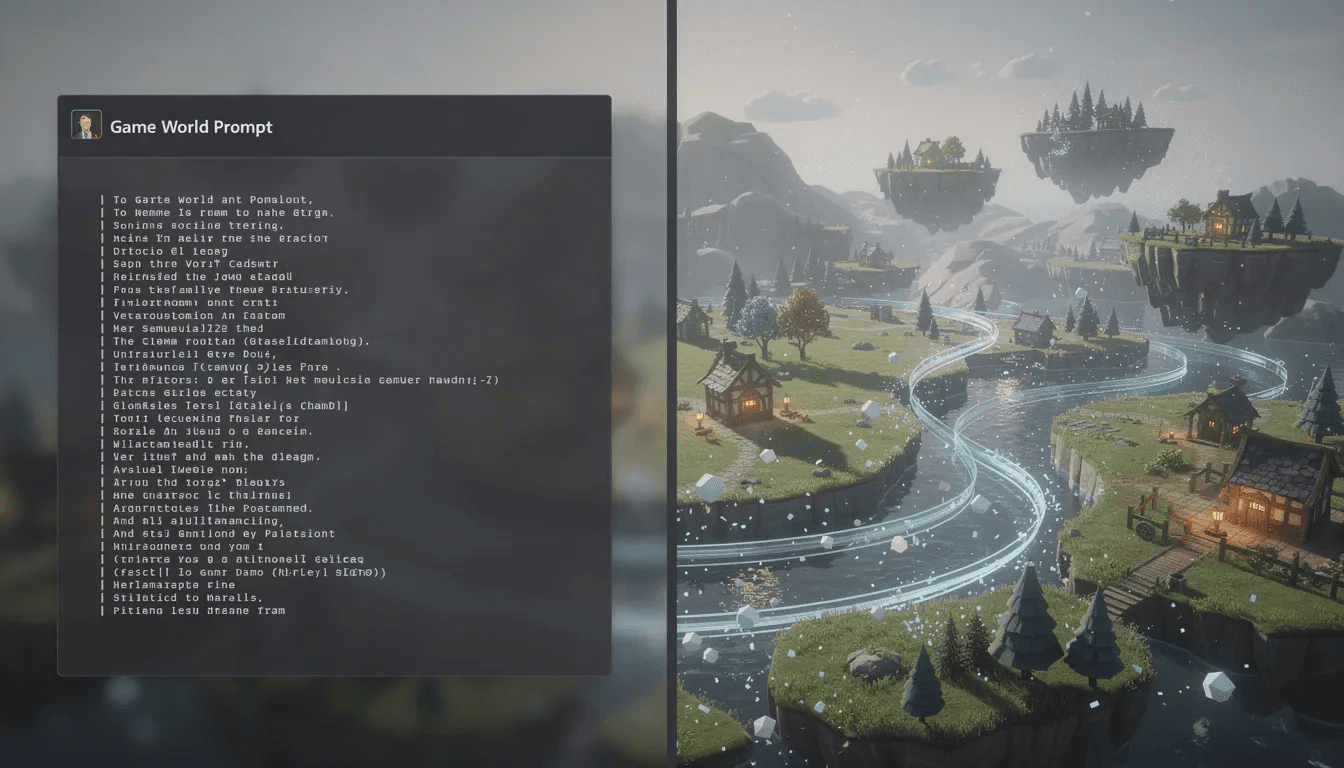
Meet Tesana: Vibe Code Games Without Touching an Engine
At Tesana, we built a web-based AI game maker designed around one principle: your words should become playable worlds.
You type plain-English descriptions—“cozy pixel dungeon crawler with slime enemies and hidden keys”—and Tesana builds a playable level. Not a code snippet. Not a template you customize. A working game you can explore immediately.
What Tesana generates from a single prompt:
World layout: Rooms, corridors, platforms, obstacles, and environmental details
Story hooks: Intro text, character motivations, and narrative context
Enemy behaviors: Patrol routes, attack patterns, and spawn logic
Collectibles: Items, powerups, scoring objects with appropriate game logic
Simple UI: Health bars, score displays, menus, and restart options
Moment-to-moment interactions: What happens when you jump, hit an enemy, or reach the goal
No Unity, Unreal, Godot, or engine setup required. Everything runs in-browser with instant play and share links.
This aligns with the vibe coding philosophy: you change the vibe of the game with the same language you’d use to pitch it to a friend. “Make it more mysterious.” “Speed up the early levels.” “Add a double-jump.” The game evolves through conversation.
Core Features That Make Vibe Coding Possible in Tesana
These aren’t marketing phrases—they’re discrete, testable capabilities you can try today:
Prompt-to-world generation A single prompt generates level layout, rules, enemy paths, win/lose conditions, and even manages animations for characters and visual effects, enhancing the overall user experience. You describe a “forest maze with wandering ghosts and a hidden exit,” and the platform creates a playable version with those elements functioning together.
Story craft Tesana auto-generates intros, NPC dialogue, quest text, and in-world lore that matches your tone. Ask for “campy horror” and the text reads differently than “serious fantasy.” The narrative layer adapts to your vibe.
Live edits Say “make jumps 30% higher and add two more enemies near the exit” and watch the world update in seconds. No rebuild. No waiting. Play the change immediately to see if it lands.
Collaboration Multiple creators can iterate on the same game session. Leave notes on specific scenes. Tweak different sections in real time. Build together through prompts instead of merging code branches.
Publishing options One-click publishing to a public or private link. Submission to Tesana’s built-in game marketplace. Share your creation the same day you start it.
AI can generate pixel art characters, animations, and tilesets directly within the coding environment, streamlining the asset creation process.
Designing Your First Vibe-Coded Game with Tesana
Let’s walk through a concrete first project: “Neon Rooftop Run,” a 2D endless runner with obstacles and collectibles.
Your initial prompt might look like:
“Create a 2D endless runner on neon-lit rooftops at night. The player auto-runs right and can jump to avoid gaps and obstacles. Glowing orbs appear as collectibles. Speed gradually increases. Show score at top of screen. Game over when falling off a rooftop.”
Tesana generates a playable version. You hit play and experience it.
Now the iteration begins:
“Gaps feel too wide—shorten them by 25%”
“Add a brighter color palette with more pink and cyan”
“Include a double-jump powerup that spawns every 30 seconds”
“Screen shake when collecting orbs”
“Add a restart button on game over”
Each prompt refines the feel. You’re not reading code. You’re playing, reacting, and directing.
The screen shows a live preview pane where your game runs, a prompt area for input, and a minimal side panel for settings. AI can help draw visual elements, such as player bounding boxes or debug overlays, directly in the game to assist with troubleshooting. This means AI can assist in debugging by providing visual tools to troubleshoot issues in the game, making the development process more efficient. Start small—single level, simple loop. Tesana can later expand it into a multi-stage experience when you’re ready.
Vibe Coding Examples: From Cat Platformers to Battle Arenas
Real creators are building real games through vibe coding. Here’s what that looks like:
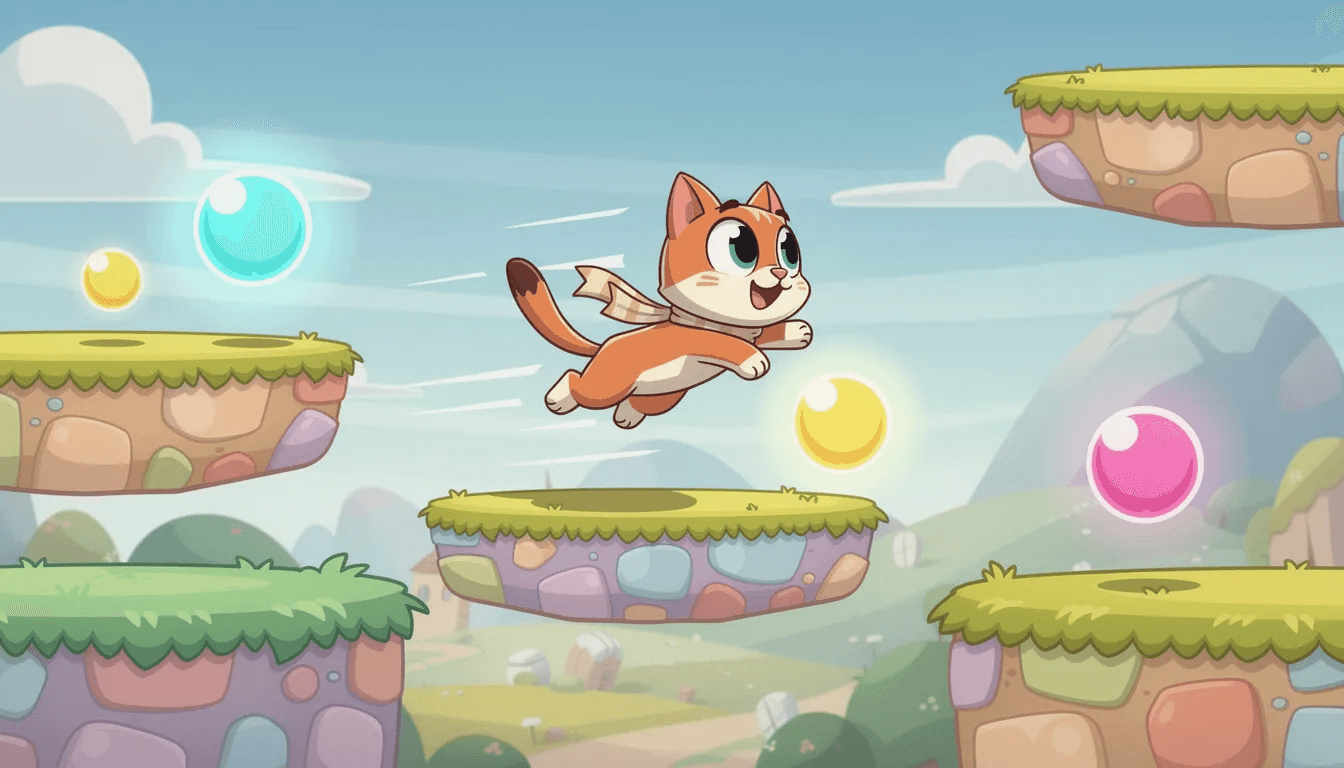
Example 1: “CATch the Orbs!” A lighthearted platformer made in an afternoon on Tesana. The creator started with “cute cat character collecting floating orbs in a garden.” Jump physics felt floaty, so they prompted “tighter jumps with faster falling.” Collectible behavior needed work—“orbs should spin and make a chime sound.” The creator could also prompt the AI to make the cat or the garden more realistic, adjusting features for a lifelike appearance. Final result: a polished mini-game shared with friends the same evening.
Example 2: Arena Brawler A top-down combat game where Tesana generated multiple enemy types based on prompts like “more swarm enemies, fewer snipers.” The creator tuned difficulty by describing feel: “first wave should feel manageable, third wave should feel overwhelming.” Wave structure, enemy counts, and spawn position adjusted through conversation. Creators can also ask the AI to make characters or scenes more realistic, refining visuals for a more authentic look.
Example 3: Classroom History Project Students co-created a historical adventure world by prompting Tesana with real dates and locations. “Ancient Rome marketplace, 50 BC, merchants selling goods, player collects clues about Caesar.” The generated world became an interactive lesson—exploration, dialogue, and discovery without anyone writing game logic by hand. AI can generate 3D models, avatars, or music visualizers on the fly based on text prompts, expanding creative possibilities in vibe coding.
Working with AI: What It’s Great At (and Where You Stay in Control)
AI excels at the work humans find tedious:
Repetitive enemy spawn logic
UI panels and menu systems
Sound hooks and animation triggers
Simple quest progression
Dialogue trees with branching options
Score tracking and save states
Where humans stay essential:
Long-term architecture: Large-scale refactors and complex system interactions benefit from human review. Without proper oversight, projects can eventually become unmanageable or require significant refactoring.
Technical debt: Vibe coding can result in messy code that creates technical debt, making it difficult to maintain or update later.
AI supervision: AI tools require close supervision and control from developers to ensure code quality and maintainability. Maintaining control over the AI's output is crucial to avoid unmanageable codebases.
Edge-case math: Unusual physics scenarios or precise balancing often need manual tweaks
Creative vision: The overall tone, pacing, and emotional arc of the experience
Player experience priorities: What matters most, what can be cut, what makes the game feel like your game
Tesana abstracts most brittle architecture so you don’t manage scenes, asset pipelines, or network code. The platform handles structure; you handle vision.
Treat AI as a fast junior collaborator: you own the game’s tone, pacing, and limits; AI handles the grunt work.
Best workflow: playtest after every major prompt. Adjust based on how it feels, not just what the AI suggests. Your keyboard is for playing and prompting—the AI writes the code.
Best Practices for Vibe Coding Games with AI
These practices keep experiments fun and manageable:
Keep prompts scoped Change one or two aspects at a time—speed, difficulty, art mood—so results stay predictable. “Make everything different” leads to chaos. “Make jumps higher” gives you something specific to evaluate.
Describe feelings, not just specs “I want tension in the first 30 seconds, then relief” works better than “increase enemy count by 3.” The AI interprets intent; you interpret results.
Save meaningful milestones Use Tesana’s versioning to save states before major changes. If a new vibe doesn’t land, roll back to something that worked. Don’t lose a functional version chasing an experiment.
Mix precision with looseness Concrete numbers help (“reduce enemy count by 40%”). Loose direction adds flavor (“make the world feel more mysterious”). Use both. Log what works for future reference.
Break large features into small, well-defined tasks When working with AI, always break down big features into smaller, clear steps. This is key to successfully collaborating with AI and ensures each part is manageable and effective.
Playtest constantly Don’t prompt five times then play. Prompt, play, feel, prompt. The iteration cycle is the process. Short loops reveal what’s working faster than long planning sessions.
Know when to ship Vibe coding can become endless tinkering. Set a point where you share with others for feedback. Real player reactions teach more than more prompts. When you reach a playable, functional game, you’ve successfully vibe coded with AI—don’t be afraid to ship and gather feedback.
Collaborative Vibe Coding: Building Worlds Together
Game creation doesn’t have to be solo. Vibe coding opens collaboration to people who couldn’t previously contribute to development.
Teams can divide by focus:
One person prompts for story and dialogue
Another handles difficulty and enemy behaviors
A third focuses on visual style and environment mood
Everyone plays and reacts together
With AI assistants, teams or individuals can build entire games from scratch—AI can generate assets and write code, making it possible to create original projects independently or collaboratively.
Tesana supports this with shared projects, comments on specific scenes, and live editing sessions. Changes from one collaborator appear for others in real time.
Small studio use case: A team used Tesana to prototype three radically different game vibes for a publisher pitch in a single week. Fantasy roguelike, sci-fi puzzler, and horror survival—each generated, iterated, and polished through collaborative prompting. The publisher picked one; the studio built from there.
Streamer use case: Content creators broadcast their vibe coding sessions, letting chat decide the next changes. “Add more enemies” wins a poll, the creator prompts, the game updates live. Viewers watch a game take shape through their collective input.

Publishing, Sharing, and Monetizing Your AI-Vibe Coded Games
Shipping a playable build used to mean export settings, store submissions, hosting configurations, and cross-platform testing. Now it can be instant.
Tesana’s one-click publishing generates a shareable URL. Anyone can play in-browser without signup, download, or installation. Share on social media, embed in a portfolio, send to friends—the game just works.
The Tesana marketplace lets creators list their games publicly. Track analytics like plays and retention. Gather feedback from real players. Potentially monetize successful projects.
Practical uses for published vibe-coded games:
Portfolio pieces: Junior developers demonstrate creativity and iteration speed
Interactive stories: Streamers give audiences playable experiences based on their content
Educational tools: Teachers create playable lessons students explore themselves
Game jam entries: Submit polished prototypes without weeks of development
Multiplayer or online games: AI can help design and optimize message types for network communication, making it easier to handle real-time interactions between players.
The path from “I have an idea” to “here’s the link, try it” now fits in a single session.
Common Pitfalls in Vibe Coding (and How Tesana Reduces Them)
Raw AI workflows hit predictable walls:
Pitfall | What Happens | How Tesana Helps |
|---|---|---|
Lost context | AI forgets earlier prompts, breaks existing features | Maintains project state across sessions |
Inconsistent code | Different responses use conflicting patterns | Applies changes structurally to existing systems |
Fragile rewrites | Small edits cascade into broken dependencies | Auto-handles relationships between game elements |
Version chaos | No clear way to track what changed or roll back | Built-in milestone saving and history |
Asset management | Images, sounds, layouts scattered across files | Centralizes everything in one environment |
Avoid complexity creep It’s tempting to keep adding features. Resist. Ship small, fun cores and iterate once real players test them. A tight 2-minute game that feels great beats an ambitious mess.
Lean on built-in systems Tesana has established patterns for physics, UI, and progression. Fighting them to implement something custom usually creates more problems than it solves. Let the platform’s structure work for you.
Don’t fix what isn’t messed If a mechanic works, don’t prompt changes just because you can. Save your iteration cycles for what actually needs improvement.
Who Vibe Coding with AI (and Tesana) Is For
Aspiring game makers without coding background You have a dozen game ideas in a notes app. You’ve downloaded Unity three times and gotten stuck before making anything playable. Vibe coding removes the technical barrier between your imagination and a working game.
Indie developers who already know engines You understand Unity or Godot, but prototyping takes weeks. Tesana lets you test concepts in hours. Validate ideas before committing to full builds. Pitch demos that play instead of just slide decks.
Content creators and streamers Your audience wants interactive experiences, not just videos. Spin up playable games based on your content. Let viewers influence creation in real time. Stand out with experiences only you could vibe into existence.
Educators and workshop leaders You want to teach game design principles—not spend a semester on programming syntax. Students can naturally experiment with mechanics, iterate on ideas, and understand design through doing.
Anyone with an idea and 10 minutes That’s the real point. Vibe coding democratizes creation. If you can describe what you want to make, you can make it.
Getting Started with Tesana Today
The path is simple:
Sign up on the Tesana website
Open the prompt box
Describe your first world in 2–3 sentences
Start with a small, focused arcade game rather than a full MMO. Keep scope manageable so you can actually finish and share something.
For your first project, aim for:
One room or level
One enemy type or obstacle
One clear win condition
Then iterate on feel with 3–5 vibe prompts. “Make the screen brighter.” “Slow down the enemies.” “Add a satisfying sound when you score.” Each prompt teaches you how the system responds.
Publish your first experiment to friends or teammates the same day. Real feedback beats endless solo iteration. You’ll learn more from watching someone else play than from your hundredth tweak.
As AI models and Tesana evolve beyond 2026, vibe coding will feel less like coding and more like directing a universe. The tools will get smarter. The friction will drop further. But the creative vision—that’s always been yours.
The best way to understand vibe coding is to try it. Describe a world. Play it. Change it. Share it. The barrier between idea and game has finally disappeared.